
Link to the game – https://mightychungus.itch.io/glubbys-adventures
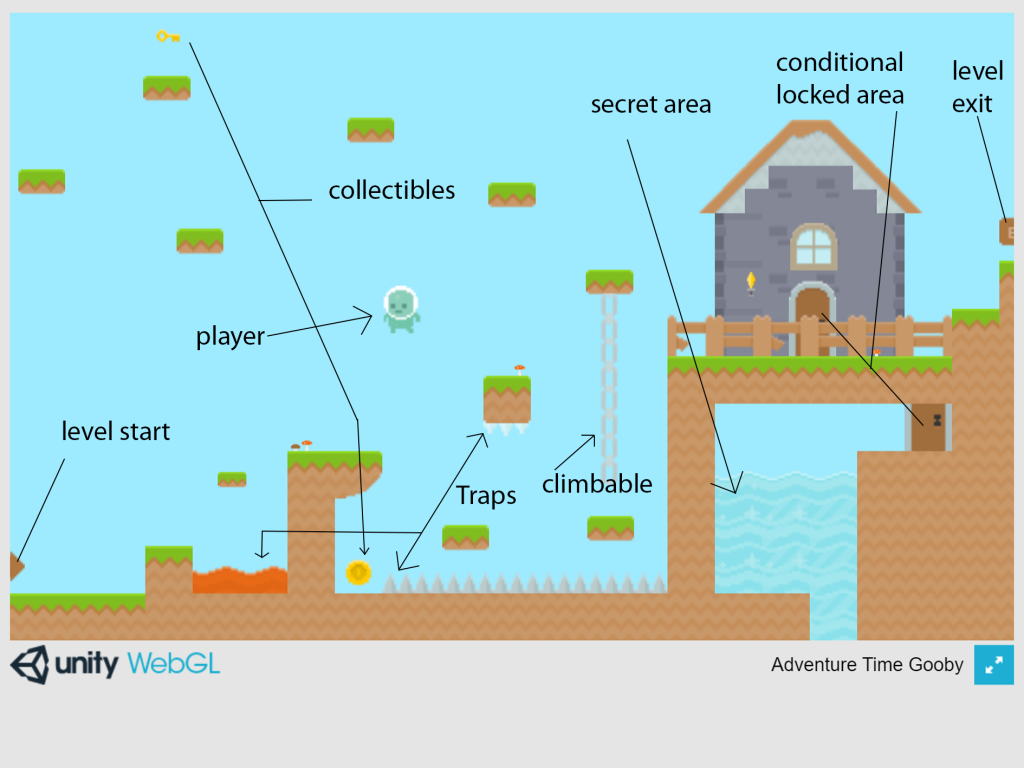
Here is my iteration of the Platformer style game we had to create. I felt this was the first time we had some real creative freedom with the game. As a platformers basis can vary quite alot, I decided to use a different asset pack to that which was suggested in the PowerPoint tutorial. I decided to go with the same premise as Mario, as these games are very entertaining yet very simply built. Using premises from the Mario games such as hidden rooms, secret levels, spikes, lava, water, jumping puzzles and climbable objects.
I had no issues with the coding and found this game quite straightforward to create. The PowerPoint made understanding and implementing the code easier than normal. Overall, I would say this game has been my favourite to develop so far, as the level building was straightforward, fun and the coding not to difficult.
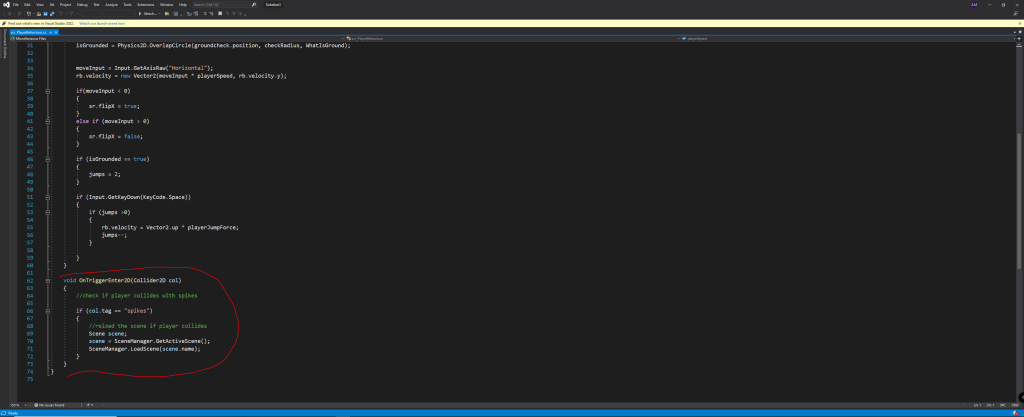
Once finished, I decided that I had to add a reset when the character touched the spikes or the lava. In order to do this, I watched a tutorial and copied it over. The basic idea was to create tags on the “dangerous” objects and code it to reset the character whenever the empty object attached to the player interacted with these tagged objects. The code worked great!
If I where to develop this further, I would add the coding in necessary to make this game function more efficiently. I would do this by adding a scoreboard and death animation, effects, more levels and sound. It would be an idea to add enemies and weaponry for the character. Upgrades/Power-up’s would also be a welcome addition and add a variation on mechanics to the platformer.
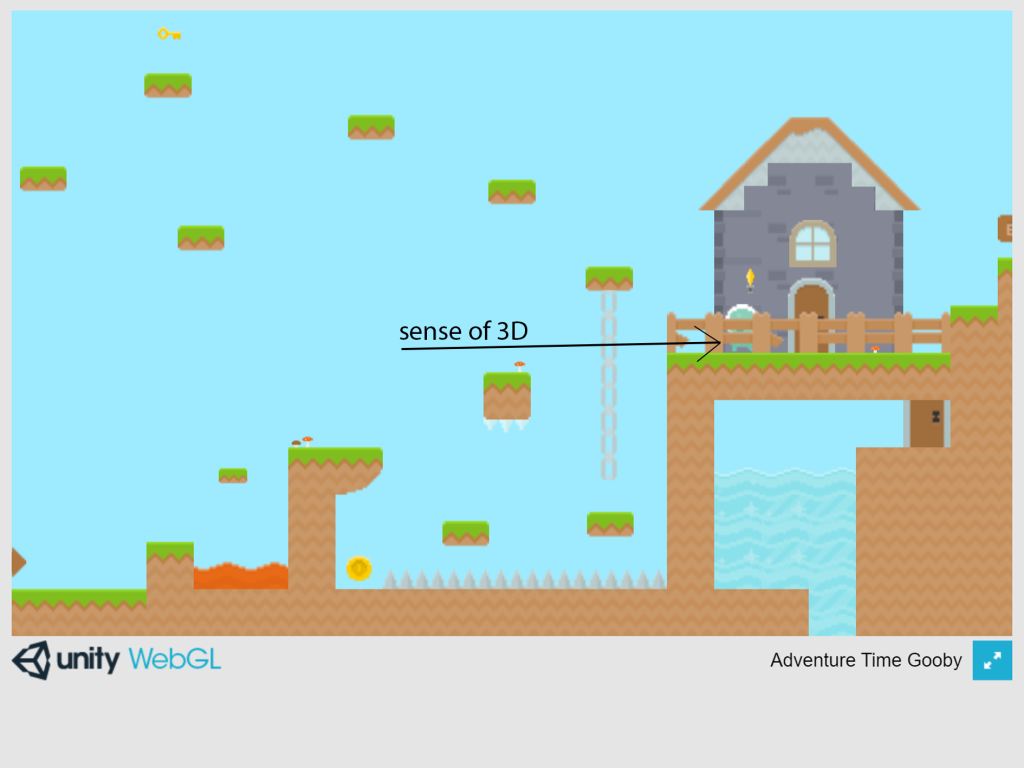
Here I demonstrate how placing objects in the foreground or behind the character, it is possible to create a false sense of a 3D world in a 2D environment.
Teatime Coder. (2017) Unity 2D Platformer Tutorial – Part 3 – Spikes and Reload Scene/Level. https://www.youtube.com/watch?v=Rikfd85a6OU&ab_channel=TeatimeCoder . Uploaded 17 Aug 2017: Youtube. [Accessed 15/11/2021]