
Lab Exercises
360 Video in Maya
To begin the emerging technologies module, we were tasked to create a 360° rendered scene within Maya that could then be viewed on YouTube or through a VR headset!
First, I followed through the canvas tutorials to understand the workflow and applications of the format. Once I understood how it worked and operated, i spent some time viewing different 360° videos to gain some inspiration.
I realized quickly as I built the scene, that I could use crude animations within the scene to create some motion and animate the lighting, to keep the scene constantly adapting instead of being a still, silent image.
This brought some life to the scene through motion and additionally, I decided to house the viewing camera in a box to limit the size of the environment to the player, as I felt too much open space could kill the immersion and experience.
Towards the end of planning and setting up this scene, I decided to animate some semi opaque balls to move in front of the viewing area, I felt the texture would play well off the lighting and the motion would focus attention to that area and once I had the attention in that area, a message could be animated to appear and disappear. Again, this made the scene more dynamic and interesting to view.
I feel like this viewing experience could well be used for a plethora of applications and make for some very poignant viewing experiences. As a game artist, I could see this been used for menus and Ui’s or even the local viewing of an in-game area. This could be useful for Art directors and such to view modeled rooms in real time and get a sense of the environment in first person.
Mash Experimentation
Mash is an incredible tool within Maya that allows for countless possibilities within the modelling and animation of projects. My initial knowledge with mash was from a modelling point of view, so I had only used mash to copy and arrange lots of objects quickly, such as bolts on a surface or bricks in a wall.
Since I had previous knowledge of creating duplicates with Mash and given one of the provided tutorials was a brick wall that transformed, I chose to go with that tutorial as it made more sense to me and would be easier to follow.
Seeing some of the things you can do with Mash was remarkably interesting and has opened more possibilities for my projects, especially within animation.
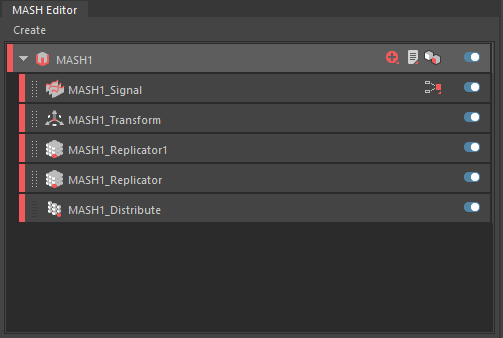
I spent some time following along the tutorial, building the scene, and learning the mechanics of the separate nodes. Especially interesting was the signal node which operates as the trigger for the mesh transformations. Once I had the project set up, I built a quick scene for the animation to play in and lit the area with a 3-point system.
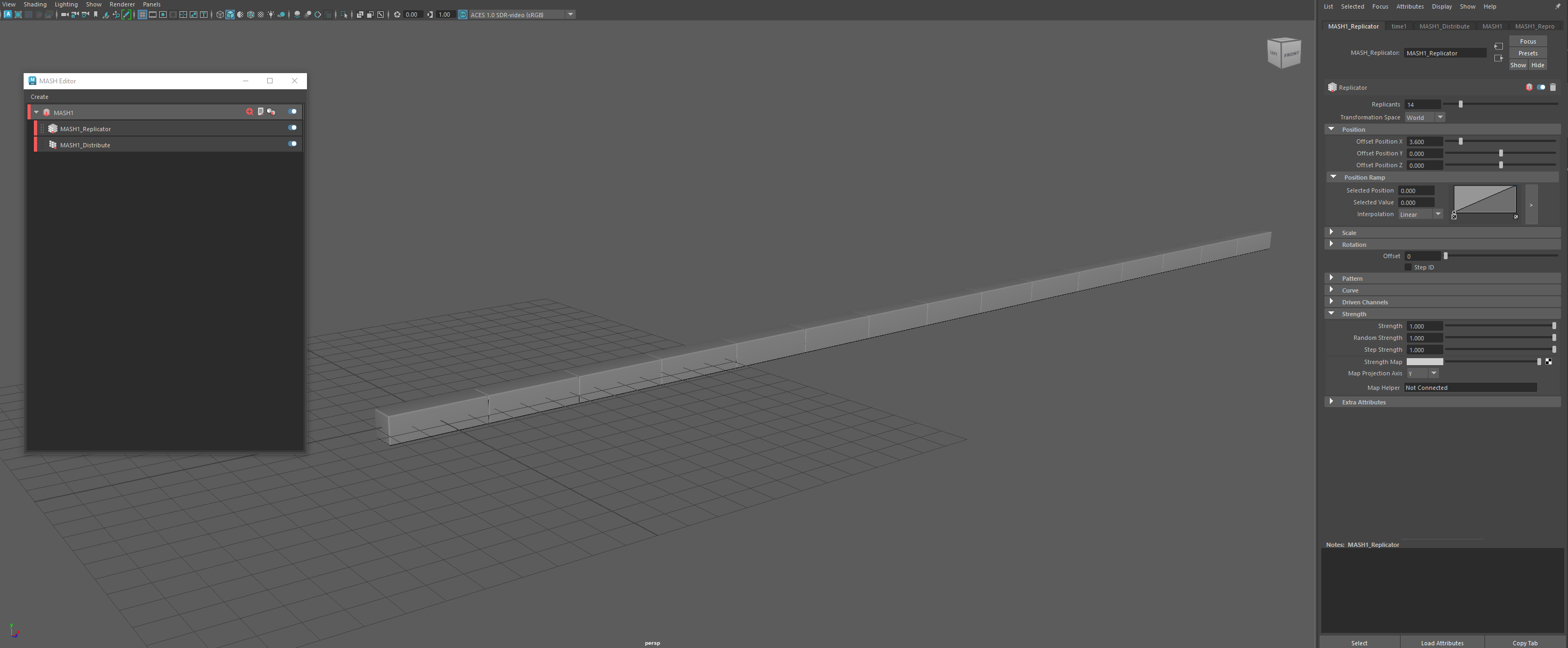
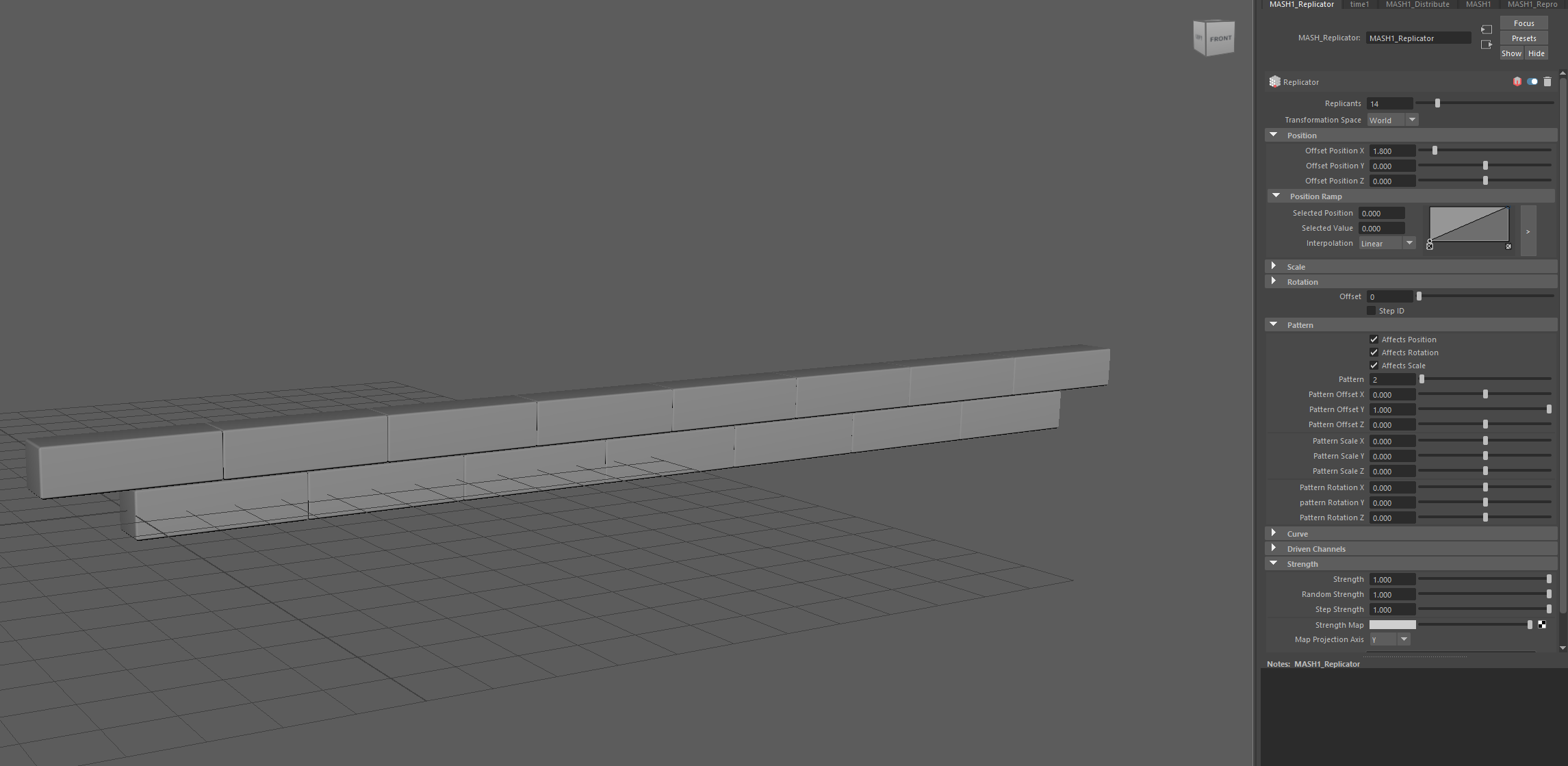
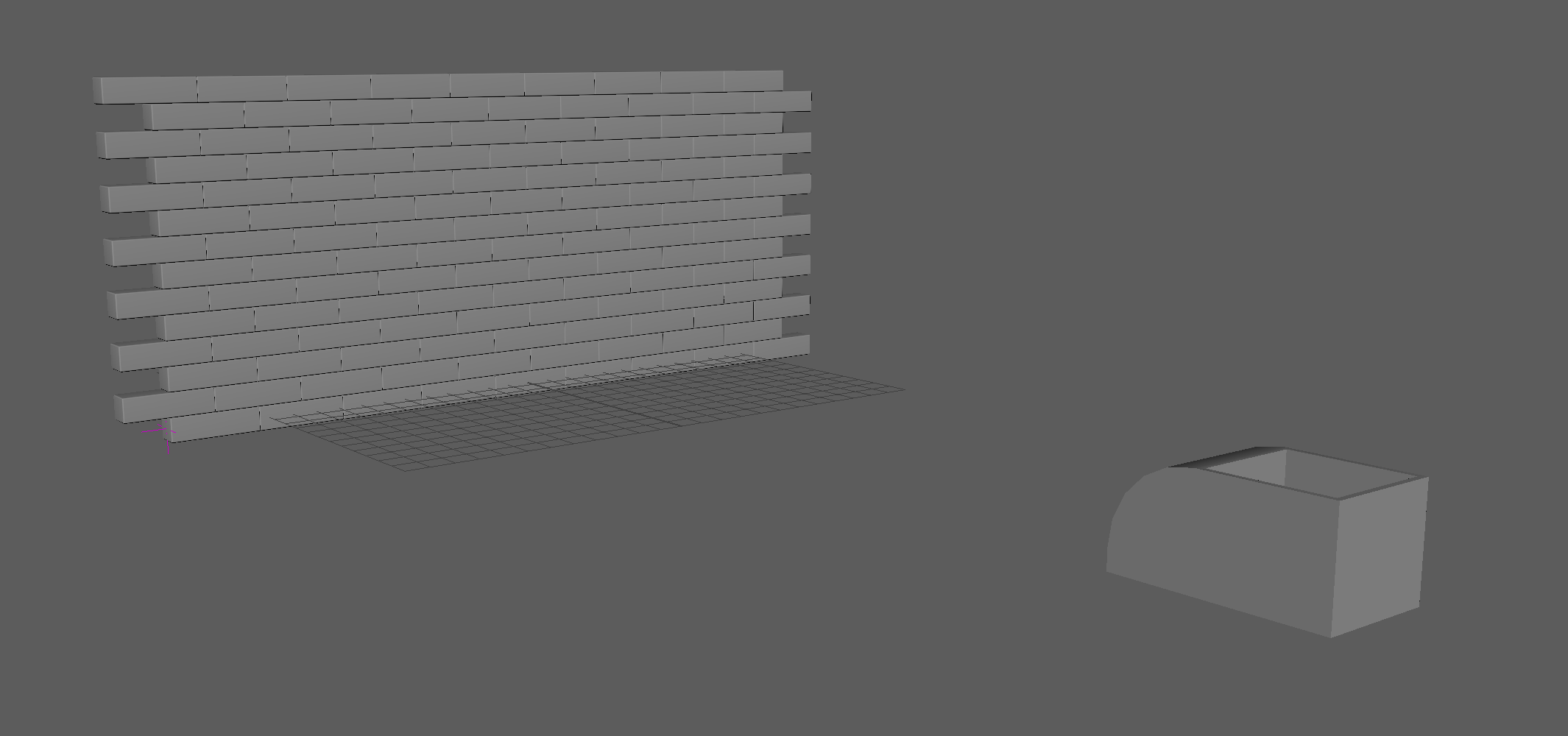
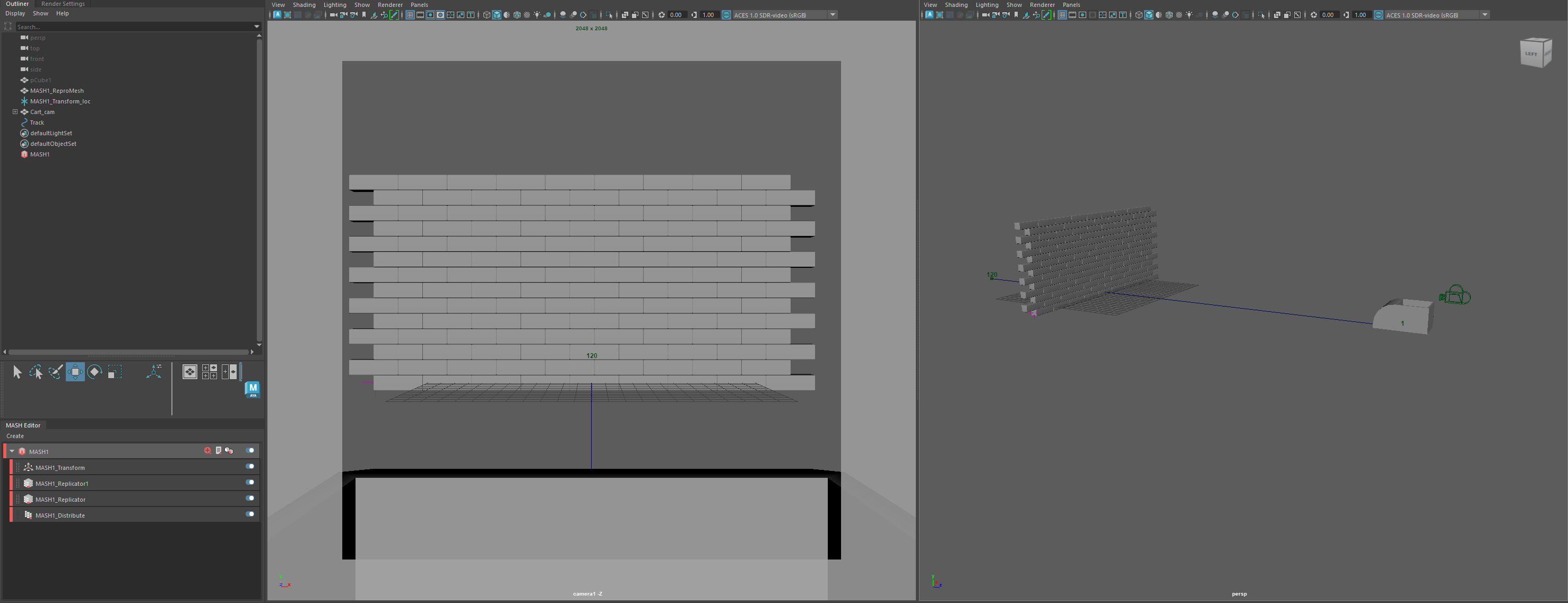
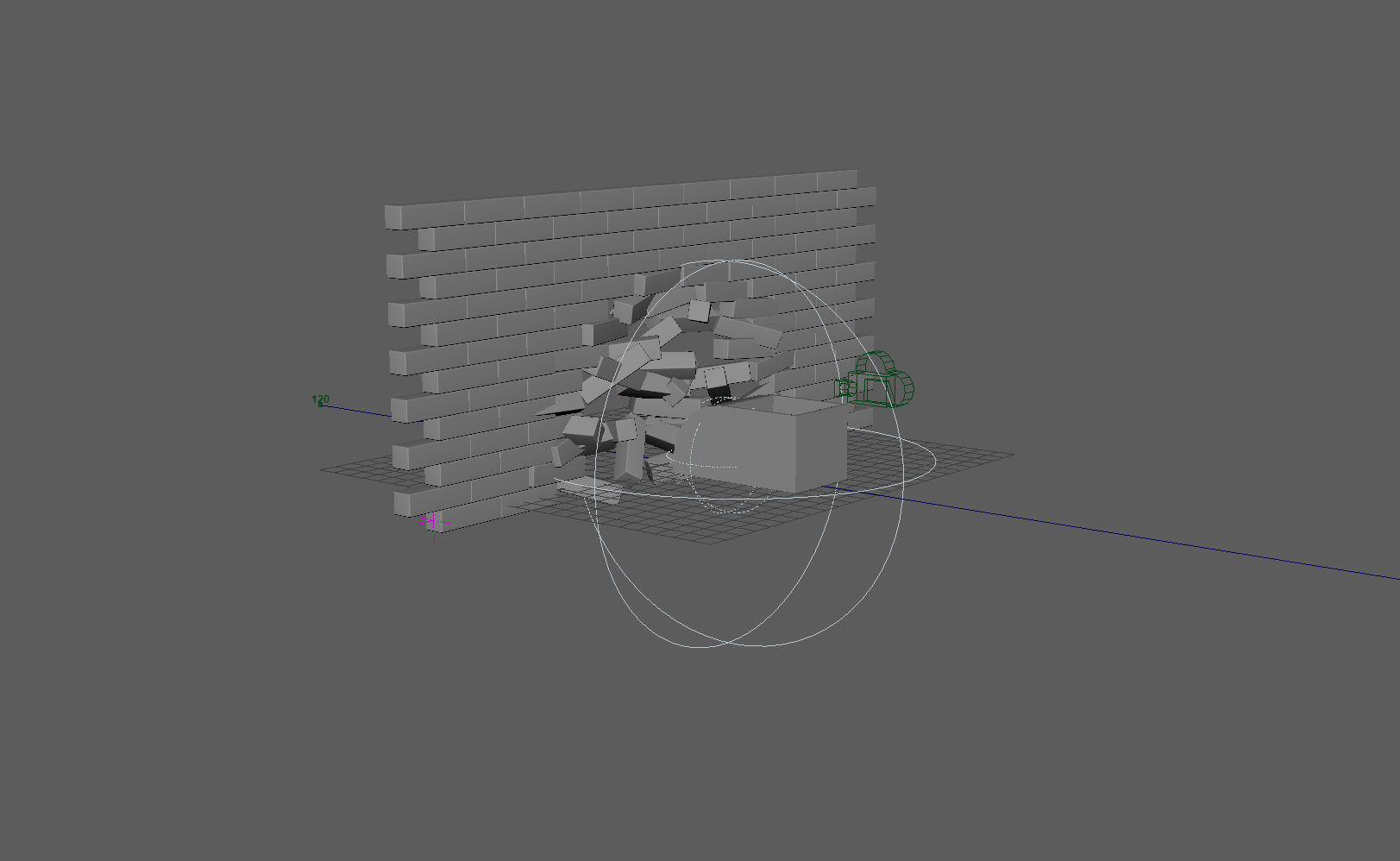
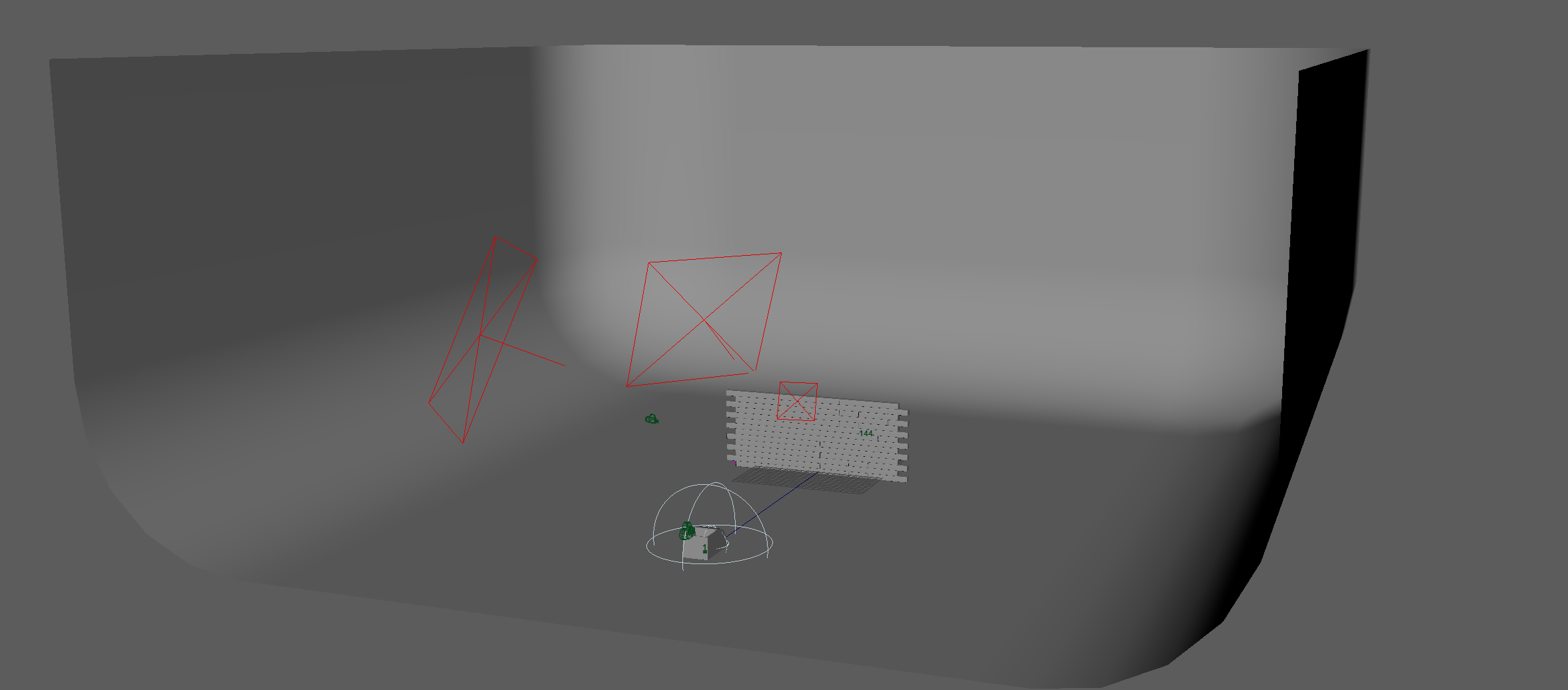
To add a little more flare and length to the clip, I rendered 3 camera positions out and sequenced them within premiere pro to show 3 perspectives of the wall transforming.
I feel there is an incredible amount that one can do with Mash and I have really only scratched the surface of its application. Particularly useful was the replicator and distribute nodes which allow quick duplication and arrangement of objects within the scene and the signal node, which acts as the interaction and collision with the mesh.
Frame VR
https://framevr.io/aaronframe
– Link to FrameVR scene –
FrameVR is a web based 3d scene builder that allows the user to build scenes that can be viewed in virtual reality and experienced with other users!
The software allows for much customization of the scene, from the environment to adding text, images and 3d assets. The site allows others to join your ‘frame’ and communicate via text and speech. The users have custom avatars and can even collaborate to allow other users to create frames alongside themselves, allowing for more possibilities and diversity of the scenes.
I decided for my frame to add my created assets, theming it like a museum piece, where the user can walk around the created assets and observe them like they would in a museum.
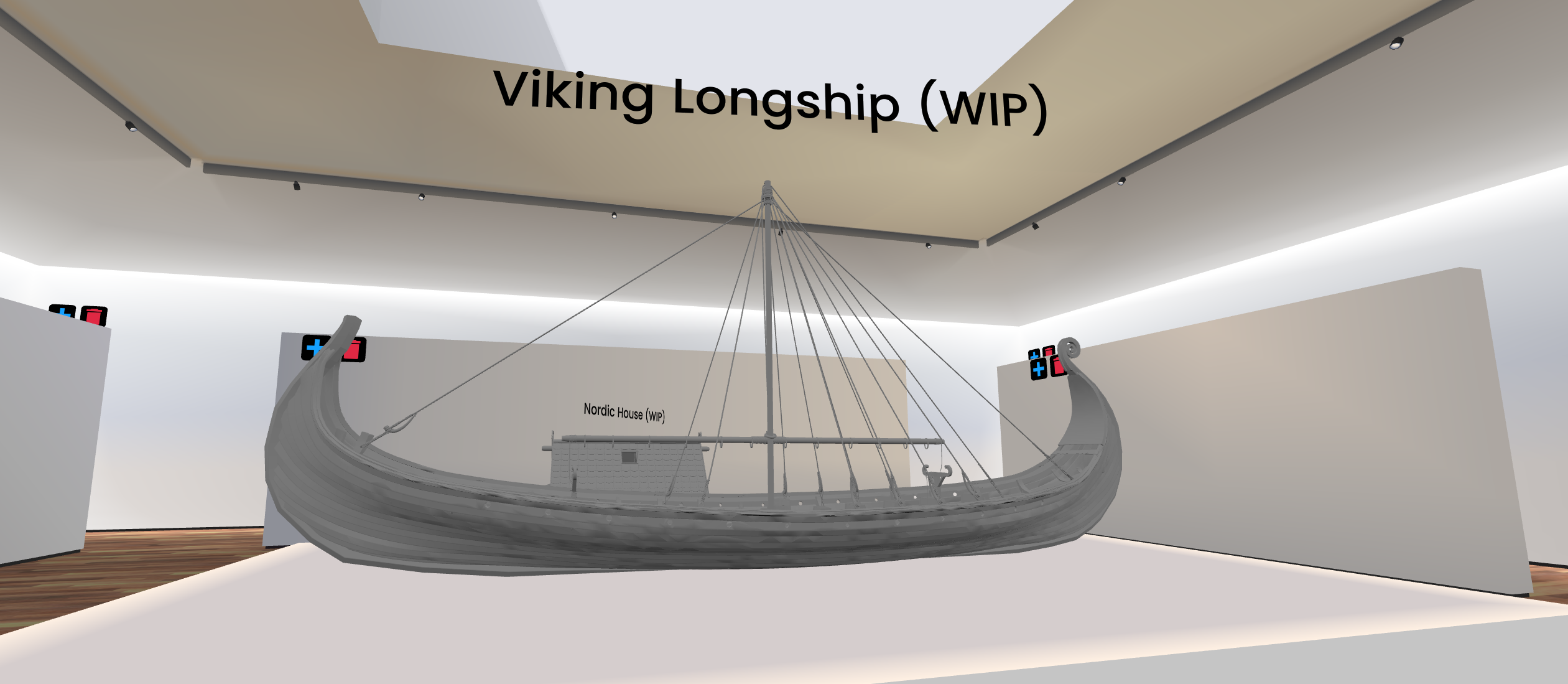
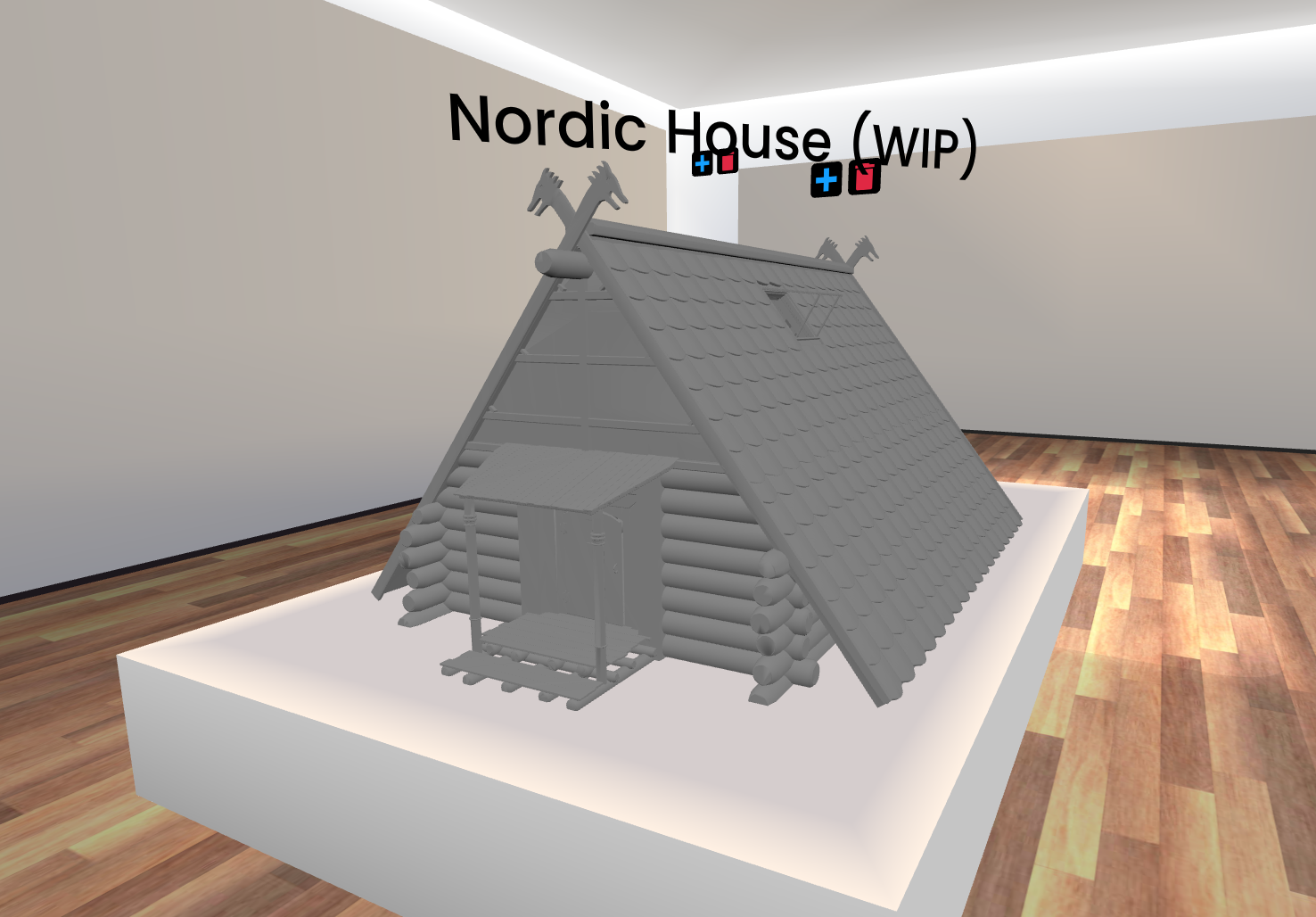
After watching a tutorial, I discovered I could use my 360-degree video to create a world sphere accessible by clicking a floating ball within the frame. Once clicked the user is transported inside a sphere containing the video.
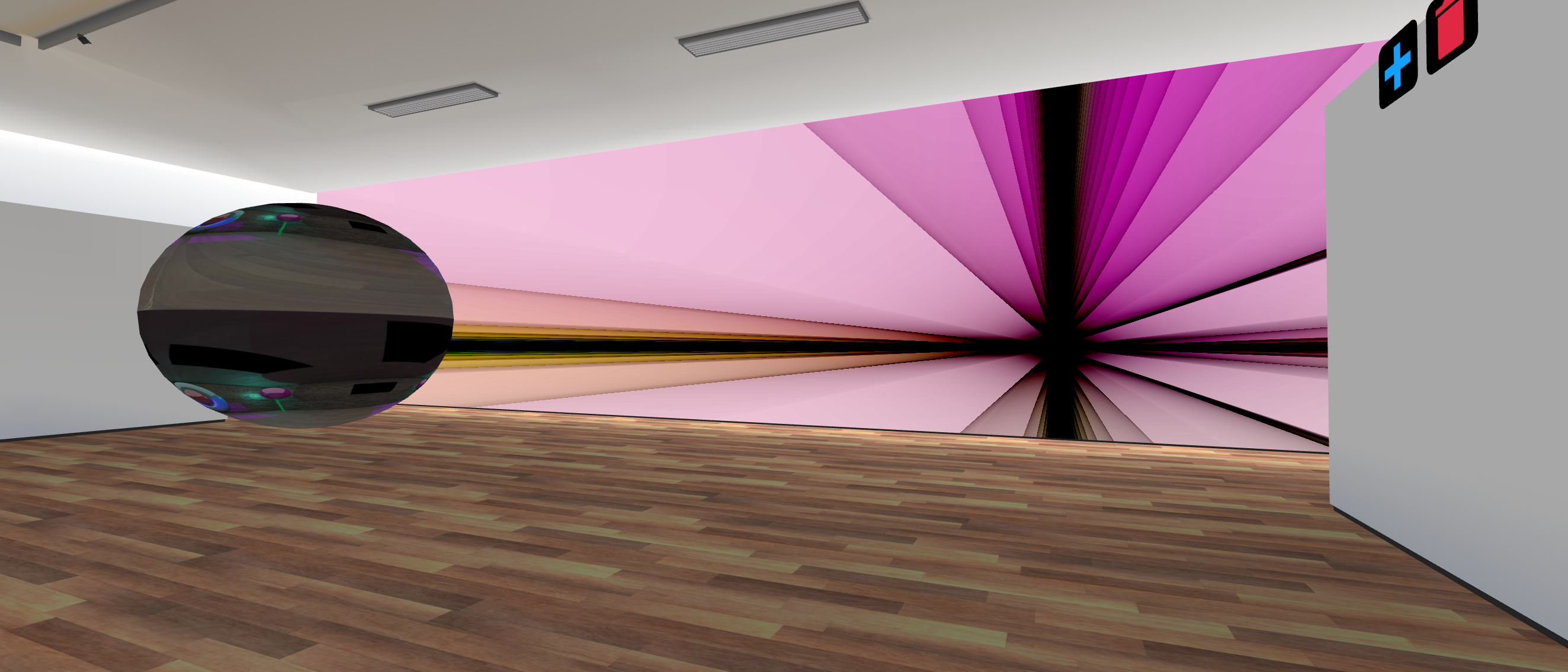
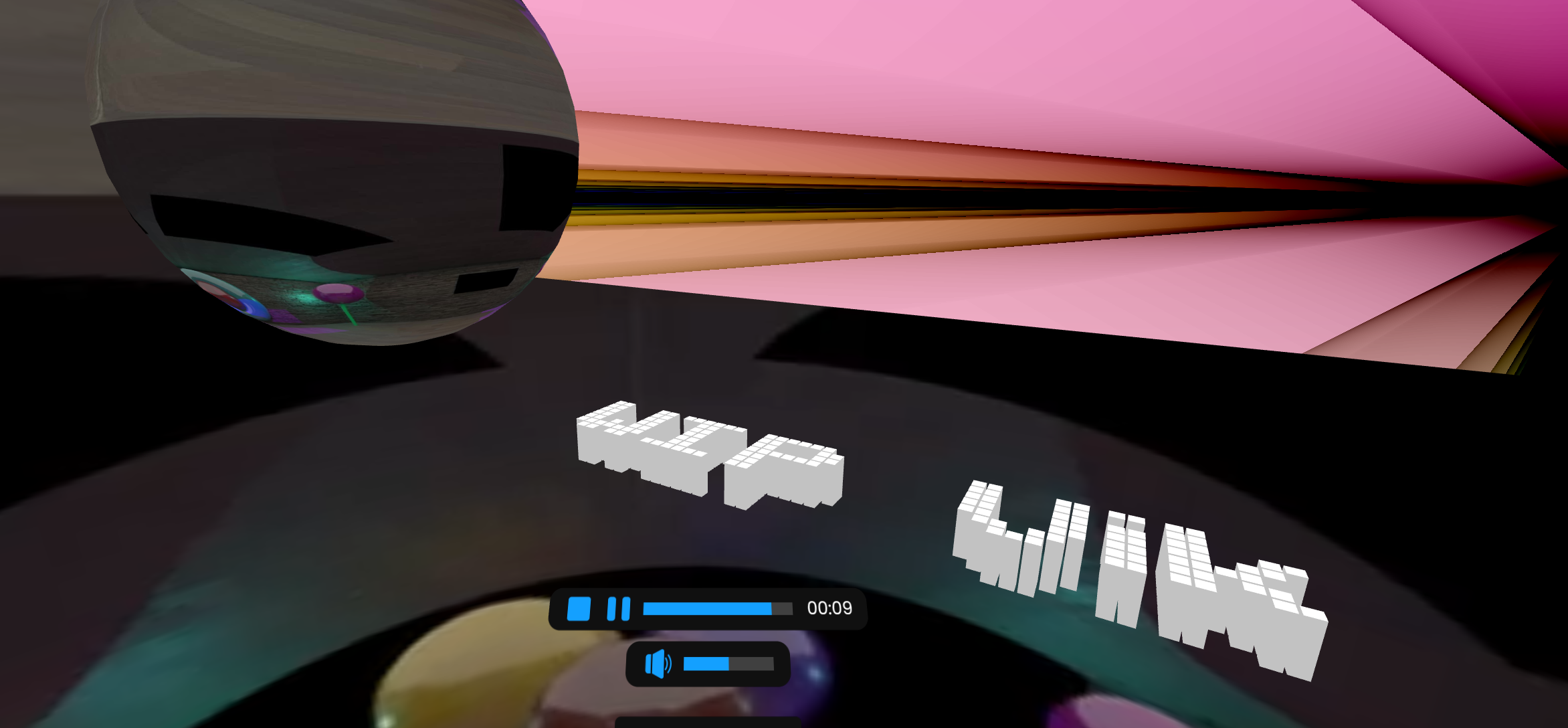
Additionally, I discovered a small bug which I could not fix. Some previous text had disappeared then re-appeared somehow embedded inside the 360 spheres, effectively ruining it.
Unfortunately, I ran out of time creating my frame as I was unable to find any royalty free images to decorate the display walls with, furthermore I had no time to convert previous models I had created to add to the scene.
However, I still enjoyed building this 3d world and can already see a broad variety of applications for it. Especially as a 3d artist, this is a fun and interesting way to display models and discuss them with others in a 3d environment.
Immersive User Experience (UX) and Augmented Reality (AR
For this exercise we were tasked to create an AR experience with the aid of Zapworks and Unity. Unity will be used for the creation of the experience where Zapworks will be used to host the overall project and enable it over internet usage.
Overall, the process was straightforward and after doing it once, became a simple and repeatable process, by simply swapping out models and the trained trigger image.
I did however receive one glitch where i could not import a Git package. The fix was downloading the Git for desktop app, the Git Large file system, and the Git for windows file. Once i restarted my machine, i was able to import git packages.
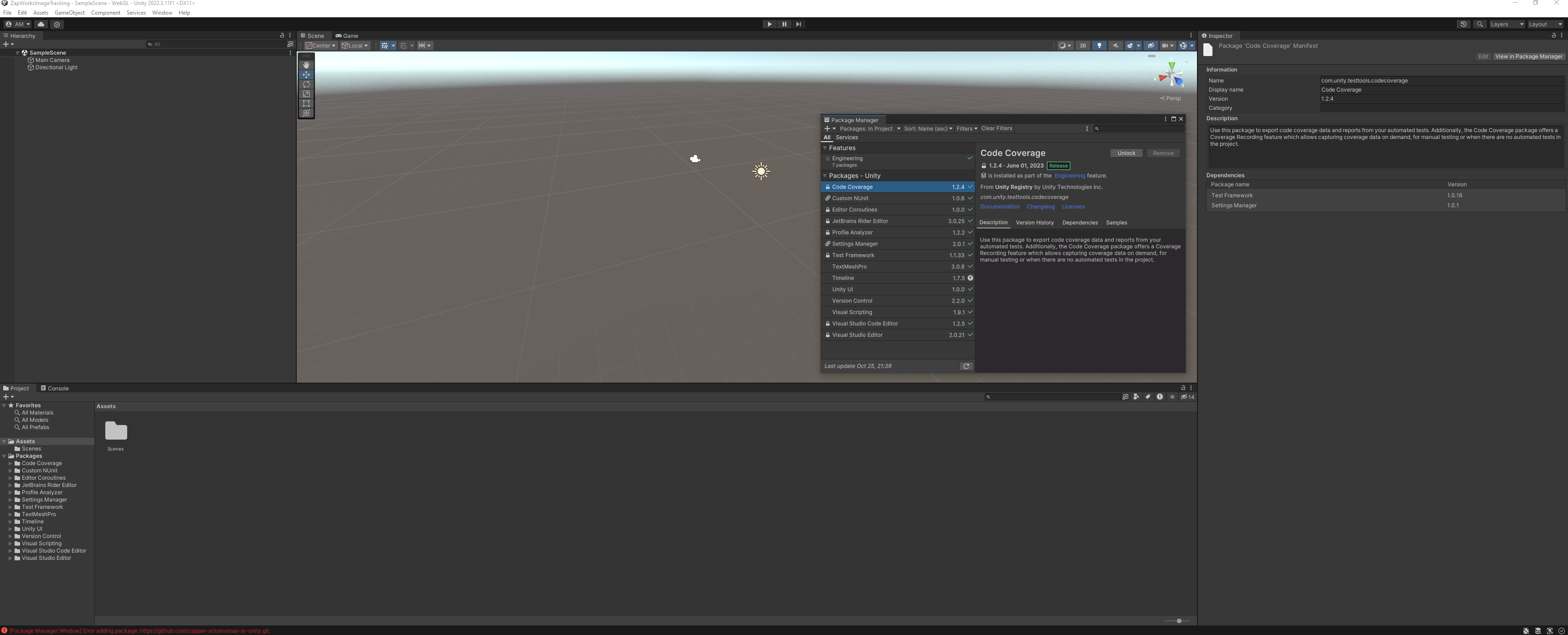
It is worth noting that these experiences are best viewed from a flat surface, as i created my experiences to be displayed on a tablet, not vertically on a screen. To change this, simply ticking the orientation in the Image tracker to vertical will allow the loaded model to render vertically instead of horizontally.
Below are the relevant images required to view the tutorial experience.
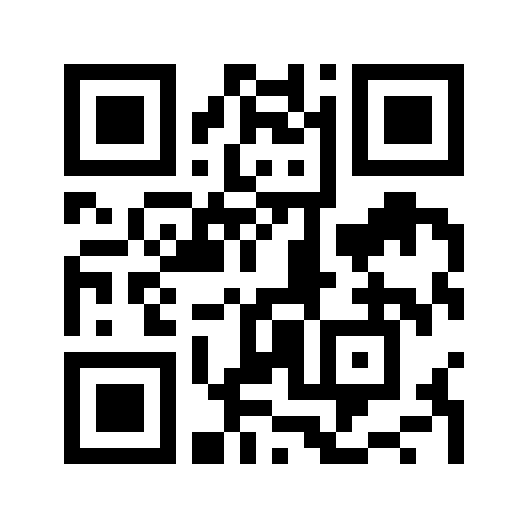
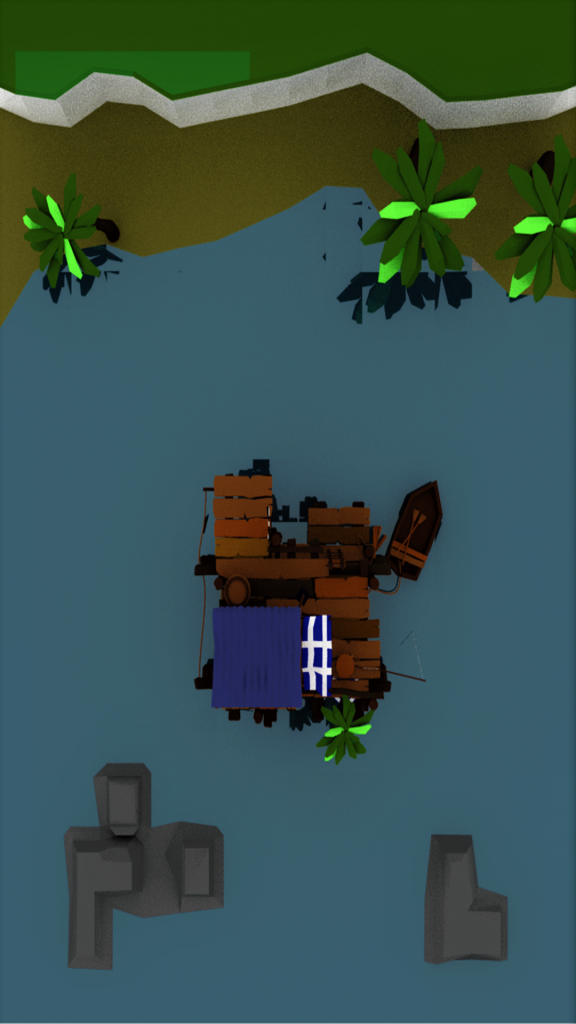
Zapworks is a straightforward site allowing convenient and easy sharing of the Unity AR experience. The site generates a QR code and once set up, hosts your project over the internet to be viewed on any device with a camera and internet connection.
Once familiarized with the Unity and Zapworks interface, i began work on a custom AR experience, featuring one of my own models and a trigger image found on the internet.


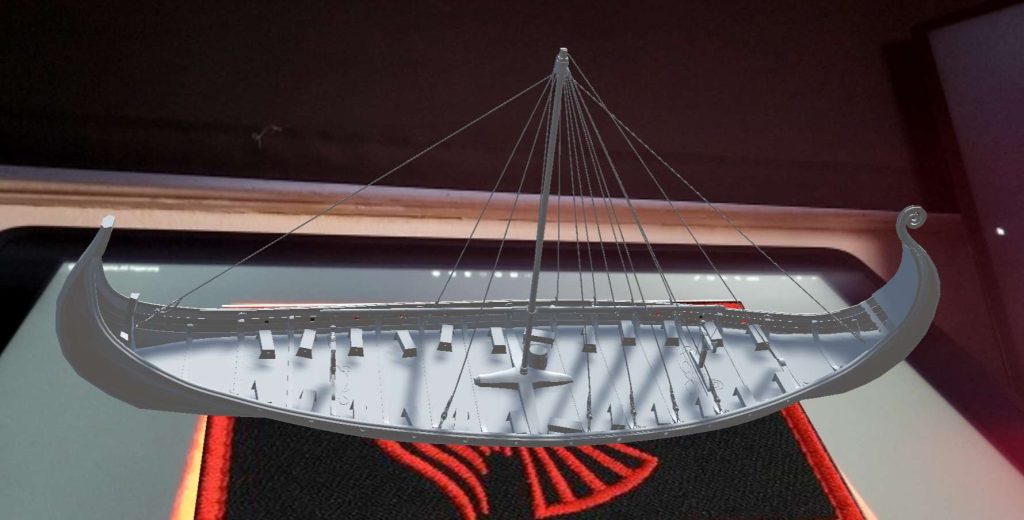
After following the tutorial, i created a new project and replaced the beach shack with my own model. I recently modelled this for the Major Project module and believed it could tie in well with the presentation, as i could use this to display a live model instead of a still image. I used the emblem of Ragnar Lothbrok’s clan from the television series ‘Vikings’, as it fit well with the theme of the model.
I can already see and imagine lots of applications for these AR experiences, from entertainment to education and even advertisement. From a 3D artist’s perspective, i can imagine how useful a tool this could be to display work and progress to clientele and the world. This experience allows the user to view a model in full 360 perspective, instead of a simple 2d image render. The user can decide where and what to look and can access this experience anywhere with an internet connection and camera.
I would add that AR/XR technology could be expanded on within the real world, especially in the education sector. Instructions manuals could be delivered in real time for devices and objects, with components of the device or object exploded in three dimensions without having to be dismantled, offering an in depth look inside objects, without having the engineering knowledge needed to safely open them up.
VR Immersive Art
Virtual reality immersive art was an incredibly fun experience, merging a 3d environment with many tools and brushes to create an artistic impression in a virtual setting was fun and engaging in many ways than one. The interface was a little confusing to get used to at first but once I had the hang of it, I began exploring the many brushes and ways you can create within this application. Initially i just wanted to create something bright and inviting, evident in the first portion of this colorful cave. However, once I discovered more tools, I began to create a more wonderland environment teaming with color and light.
As I was creating, I could begin imagining the ways this application could be used. Mainly, I felt that this was an artist’s tool, to create environments and 3d pieces for people to explore and experience in a virtual environment, like the ‘’We Live in an ocean of air’’ experience by Marshmallow laser feast. This form of art could also be paired with 360 video creation and sites like FrameVR to highlight and extend the boundary of this artistic application.
This virtual experience was incredibly fun, and I believe it could also be a fun tool to tutor older children and people with mobility issues art with a different approach. This form of un-tethered art and space would be more engaging and environmentally friendly than the standard approach to art and design.
Production/Portfolio
Research Proposal
Research Proposal: An educational AR experience
Hayes (2023) describes AR (augmented reality) as ‘the enhanced version of the real physical world achieved by the use of digital visual elements, sounds or other sensory stimuli.’ Therefore, with the growing use of technologies in recent years, it is not surprising that different areas of society are now reaching toward AR to enhance their experiences. One area which has grown potential applications of the use of AR is that of education, ‘word using Augmented Reality (AR) Technology aims to make phonics learning more interesting, interactive, and effective’ (Sidi, Yee and Chai, 2017). For this research proposal, it was integral to choose an area which through the correct application, could foster the growth of knowledge and engagement. This is why the research proposal chosen is focused on links between early years and Key Stage 1 reading and AR. In the past, there have been similar studies which have proven fruitful. For example, Phonoblocks (Tolba, Elif, Taha and Hammady, 2012-2022) which focused on ‘3D physical lowercase letters and colour cues’ to support young children’s reading. This however, had positive and negative outcomes, it was proven to show success amongst children of varying age groups, but was not fully inclusive of the largest groups of children that struggle with their reading – Special Education Needs children, children with English as an Additional Language and children with Speech and Language difficulties.
It is clear through research that reading skills throughout primary school provide the building blocks for every other stage throughout a person’s life. There are many who struggle tremendously with learning to read, and this thereby has negative connotations on their other subjects throughout their school lives. Would it not be a much-needed step forward, to be able to provide these children with the visual support they deserve and need, at the time when they need it most? Kusumaningsih, Putro, Andriana and Angkoso (2021) state that the ‘fun interactive learning of media is one technique to boost interest in reading for early childhood.’ Many schools now adhere to a phonics scheme, to break down words into sounds, digraphs. Phonics schemes use the method of coding sounds within words to help a child build up a repertoire of understanding, making them able to decode any word placed in front of them. It is common knowledge that the success rates of this are lower in SEN (Special Educational Needs) and EAL (English as an Additional Language) pupils. It is important therefore to create Augmented Reality learning experience for all but tailored with these children in mind. ‘Augmented reality (AR) development is beneficial because it helps students pay more attention and raise passion by including them in the learning process,’ (Kusumaningsih, Putro, Andriana and Angkoso, 2021) this is the exact thought when choosing proposal.
There are various arguments regarding children using AR and VR to support learning and playing. AR was chosen for this proposal due to the negative health effects on children’s brain and eyes whilst using VR and the success of using AR for games in recent years. Research studies show that although the use of VR is popular amongst the younger age groups, it has drastically negative implications for mental health and eye and body strain. Diaz (2023) explains that ‘VR headsets use a specific optical arrangement to create an immersive 3D environment’ which through prolonged use can cause nearsightedness and cybersickness. This therefore would not be an ideal choice when proposing a technology to support children, especially with regards to reading which is practiced daily within schools. Another negative element for using VR is the access to VR headsets. Many schools have access to laptops and tablet computers, but due to depleted funding within education, the possibility to provide copious amounts of headsets is out of the question. Schools would question if the outcome percentage would be worth the cost. It is therefore wholly more appropriate to create content using AR instead. Schools would consequently be more inclined to download programs which not only support their phonics schemes such as Read, Write, Ink, but also are accessible through technologies that are already readily available to them. There is no doubt that in recent years, the use of AR has become more popular. Games such as Pokémon Go – which are hugely popular with children under 12 ‘attracted over 65 million users (about twice the population of California), many of whom are young children’ (Sereno, Cordley, McLaughlin and Malinaik, 2016). Researchers show many ethical safeguarding issues with regards to this type of AR technology; however, these were all physical threats of being outside
on your own, focused on technology rather than reality. As this is not applicable to the proposed use of AR, it can be seen as the safer option when choosing a vessel for an educational tool.
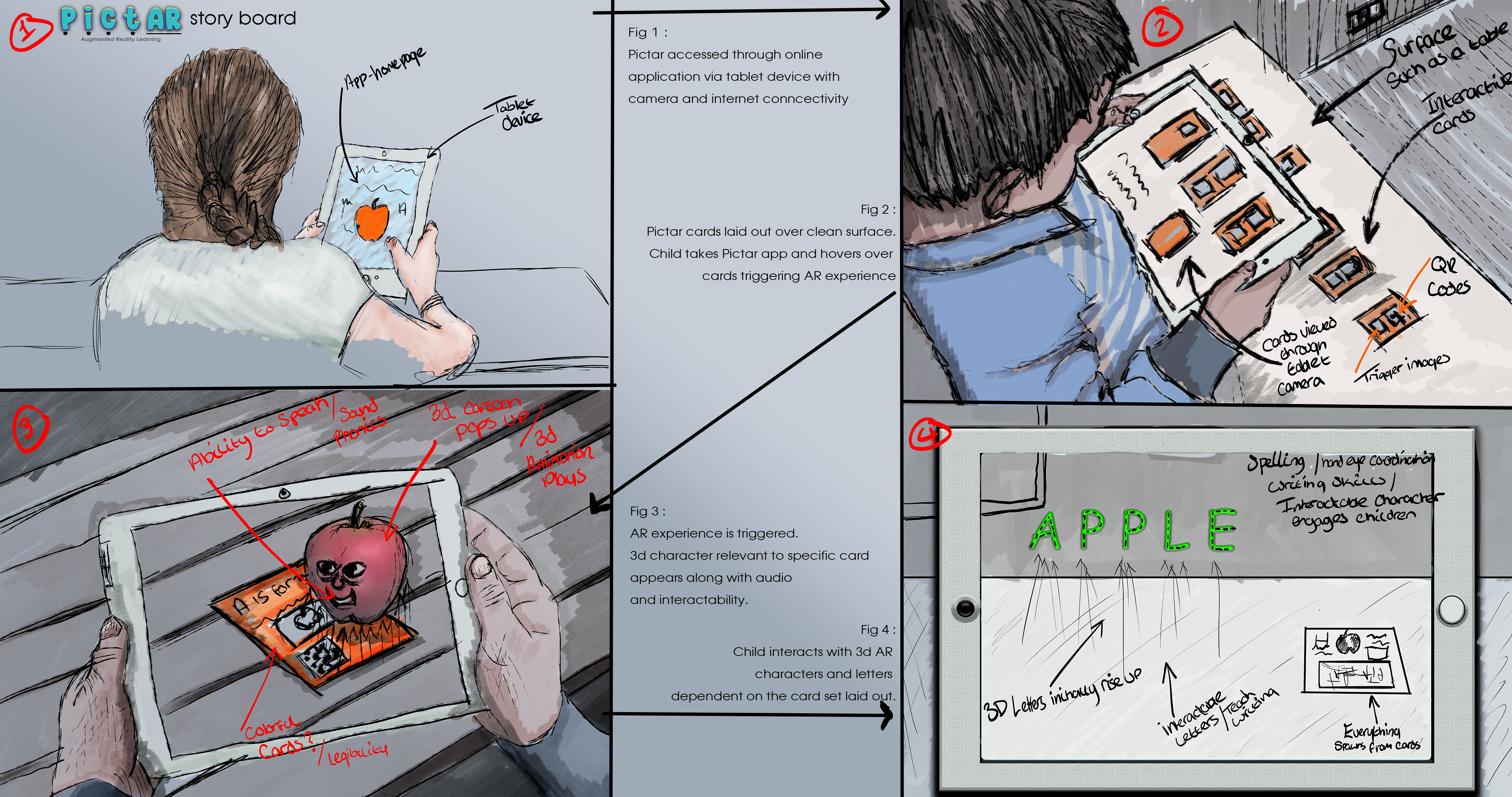
The proposed AR is a teaching tool to support the development of reading and spelling in Key Stage 1 – primary level – pupils. With this proposed tool, a school would buy or subscribe to a modern technology named ‘PictAR,’ named after the use of pictures and AR technology. These cards would feature either a word or phonics sound clearly visible on the front. In addition to this, there would be a picture linked to the letter (for example, a t with a picture of a tower) which would correspond directly to the pictures used in their phonics scheme of work. There would also be a small QR code with this on the front of the card with short instructions on how to access it on the back of the card. The child, teacher, helper, or parent would then use a camera on either a tablet or phone device to scan the QR code. This will then open the AR experience for the particular sound or word. The child would then be greeted by a welcoming character linking directly to the letter or word they have chosen. This will talk to them and guide them through everything they need to know about the word including, a 3D representation of the letter or word, the letter formation and spelling, uses of it in context and a host of different engaging activities to support the child with learning the letter or word. This will be a fully interactable use of AR. The children will be able to repeat activities and will receive positive affirmations from the character to not only enhance knowledge but also self-confidence and metacognition. There will be a series of settings available with coloured overlays and font size selections. This is to make the experience fully inclusive to those disadvantaged by reading difficulties such as Dyslexia. The child will be able to draw out, touch the letters and read sentences and words they would commonly associate with their chosen sound or word.
The vision with this proposal is a highly attractive, engaging platform for children of all abilities to use on a day-to-day basis. In today’s current political climate, it is evident schools are struggling with the growing needs emerging for pupils whilst battling with being underfunded for the necessary staff required to teach effectively. This concept has real life applications. As well as being able to be easy to use and make learning more interesting for children, it also can introduce children to upcoming technologies. This concept can provide support to oversubscribed classes, making it easier for teachers and more engaging for pupils. When speaking to a local primary school teacher in the area, she stated that ‘this concept is truly exciting as within my class, I have a variety of academic levels and it can be a struggle to give each child the specific support they need in every lesson. The idea of creating content which links directly to the phonics schemes we use in school is wonderful as it will enhance the children’s learning experience. Not only is it fully inclusive of the higher number of SEN children schools are experiencing, but it is exciting the prospect of having something to engage children at all age levels and abilities. We would be happy to try out any of these technologies in our classes to support the children’ (Tether, 2023). Through emerging technology and lab assignments this proposal was able to find a medium enjoyable to work with through Unity and Zapworks.
It is proven in a study on 6-year-olds that phonics is an effective way to teach a large variation of vocabulary in a shorter period (Connelly, Johnson and Thompson, 2001). It was also found that children who do not naturally learn in this way are slower at developing reading skills, but through more rehearsal, have a deeper comprehension of what they are reading (Connelly, Johnson and Thompson, 2001). These children tended to be those with autism and those who initially speak another language first. When developing the proposal, it was a high priority to target these children specifically to ensure that no child is left behind in education. ‘Augmented reality (AR) applications can be used as tools to provide trigger-based, video-modeled instructional support to students with ASD. The use of AR in this way may help teachers implement evidence-based reading skills practice such as video modeling and provide more independent practice opportunities’ (Howorth, Rooks-Ellis, Flanagan and OK, 2019). Therefore, it was important that the characters used, the font used, and the layout of use were easily accessible and engaging for children with these difficulties. By using AR this way, more opportunities are provided for children to work independently and an easier way for teachers to monitor progress and show new concepts. That is why, with each card, animations will be engaging, colourful and positive for the
children. The proposal thereby mirrors the values of that in the study by Howorth, Rooks-Ellis, Flanagan and OK – it will embed videos into texts as cues, teach new content, use consistent modelling during transition and most importantly support reading fluency.
Another focus group for this proposal are that of EAL children. ‘Most students who learned English as a second language have not learned phonics systematically and appropriately, resulting in failed pronunciation in reading and writing English words’ (Chen, et al., 2016). The purpose of this proposal is to attempt to eliminate certain barriers in place for new language learning. Studies have shown that interacted AR, is a successful strategy for this. Chen (2018) reveals that this type of AR is efficient when helping children with ‘understanding and retention’ of key reading facts. A study by Chen (2028) was conducted with the target of using AR to virtually ‘integrate virtual objects and video clips into the interactive learning environment for second language learning (Chen,2028). Through researching this study and reading the outcomes, it is clear that AR technologies such as these provide a more immersive learning for children and are more effective than normal learning alone.
The primary premise for this use of AR is to support early years reading development, however there are other developments connected which could be possible after the initial integration of use into a school. Other proposed uses for similar technology include visual aids for counting and number bonds, multiplication, division, shape, and place value in Key Stage 1. This concept would lend itself well to visual aids with counters, characters and moving representations of numbers. In addition to the previously mentioned use for phonics learning, children could also use similar technology to help form or ‘hold’ a sentence. Many children with cognition and learning difficulties find it hard to construct simple sentences due to their short-term memory. Imagine having a tool that could scribe the sentence you want, as well as having interactive qualities to help you understand the word class and grammar necessary to become a confident autonomous learner? Although typically by Key Stage 2 many children are expected to have a good understanding of sentence structure, spelling and reading, the proposed AR teaching technology, Key Stage 2 children could use the tool to learn new features of writing and more advanced sentence structures. In reading, the older children could scan a QR code for different texts they are studying to find VIPER style comprehension questions and animations to help their understanding of a text. In mathematics, the children could use the tool to see visual methods broken down with a ‘my turn, our turn, your turn’ approach where children can see visual representations of written application style questions as well as being fostered into gaining more independence with their learning.
With all the new technological advances, it is important to consider the ethical implications of introducing innovative technology – particularly where children are concerned. Society has already seen areas of AR rocket in popularity with AR technology. When considering the ethical implications of either using AR or VR, it was important to consider the actual use and purpose of the proposal. When researching, it became clear that the fundamental issues with AR technology can be summed up to mental/social side effects, unrealistic expectations, manipulation, and anonymity. It can be argued that with prolongued exposure to AR, children may have unrealistic expectations of reality. For example, they may assume that other things they look at would have the support there as they are using it every day. They may also blur their understanding between what is real and what is not. The way proposed to tackle this would be in computing education and not using it for every single task. There are also risks of facial recognition and anonymity issues with AR. This would pose a significant safeguarding risk for children and therefore it would need to be used only through the school, so it can be monitored effectively. This technology does not have the need to use facial recognition so it negates the issue partially. Next, it may have mental and social side effects. By focusing on AR, children would be limited to working on their own which is not ideal in the younger years where there is also a large focus on developing social skills such as turn taking and listening. This is why it would be proposed that children would still have an input and partner work prior to using the technology, they would only use it when completing work independently. Lastly, as a supporting technology, the proposed idea does to some extent pose issue with unrealistic expectations. They may overestimate their abilities which could mean
for struggle in examinations and such, later down the line. Again, this would be tackled by ensuring the integral teaching blocks are still there and this technology is used to assist the teaching which is already in place rather than to replace it.
A case design study using an AR iPad application has shown successful results which have ‘indicated significant growth in phonics performance and maintained the intervention gains for upto 5 weeks after the intervention’ (Bahari and Gholami, 2022). These results are what inspired the initial proposal. Why isn’t enough done to support our teachers in the classroom when, through AR, the results can be quick and effective? The proposal was rooted in making technology accessible to all and inclusive to all needs. ‘With smart phones being ubiquitous in every household, people are increasingly relying on educational applications to simplify the learning process of children’ (Sumithra and Rhaga, 2023). Therefore, with this concept, children could continue their learning at home, they can be engaged, they can be supported and most importantly, they can be empowered. There are struggles when focusing on such an early age group, it is subsequently integral to have strong links with teachers, schools and understanding of the current methods used. Understanding the target audience for this type of technology is crucial to its success; teachers and pupils alike need to be able to use and enjoy the educational application.
Project Plan (Trello)
Storyboard
References
A. Kusumaningsih, S. S. Putro, C. Andriana and C. V. Angkoso. (2021) “User experience measurement on augmented reality mobile application for learning to read using a phonics-based approach,” 2021 IEEE 7th Information Technology International Seminar (ITIS), Surabaya, Indonesia, 2021, pp. 1-6, doi: 10.1109/ITIS53497.2021.9791660.
Akbar Bahari & Leila Gholami. (2022) Challenges and affordances of reading and writing development in technology-assisted language learning. Interactive Learning Environments 0:0, pages 1-25.
Chen, I. (2018) “The Application of Augmented Reality in English Phonics Learning Performance of ESL Young Learners,” 2018 1st International Cognitive Cities Conference (IC3), Okinawa, Japan, 2018, pp. 255-259, doi: 10.1109/IC3.2018.000-7.
Chen, W. et al. (Eds.) (2016). Proceedings of the 24th International Conference on Computers in Education. India: Asia-Pacific Society for Computers in Education.
Connelly, V., Johnston, R. & Thompson, G.B. (2001) The effect of phonics instruction on the reading comprehension of beginning readers. Reading and Writing 14, 423–457. https://doi.org/10.1023/A:1011114724881
Diaz, M. (2023) Are VR headsets safe for kids and teenagers? Here is what the experts say. https://www.zdnet.com/article/are-vr-headsets-safe-for-kids-and-teenagers-heres-what-the-experts-say/
Howorth, S. K., Rooks-Ellis, D., Flanagan, S., & Ok, M. W. (2019). Augmented Reality Supporting Reading Skills of Students with Autism Spectrum Disorder. Intervention in School and Clinic, 55(2), 71-77. https://doi.org/10.1177/1053451219837635
Sereno, Cordley, McLaughlin and Malinaik. (2016) Pokémon Go and augmented virtual reality games: a cautionary commentary for parents and pediatricians. Source: Current Opinion in Pediatrics, Volume 28, Number 5, October 2016, pp. 673-677(5). Publisher: Wolters Kluwer.
Sidi, J., Yee, L. F., & Chai, W. Y. (2017). Interactive English Phonics Learning for Kindergarten Consonant-Vowel-Consonant (CVC) Word Using Augmented Reality. Journal of Telecommunication, Electronic and Computer Engineering (JTEC), 9(3-11), 85–91. Retrieved from https://jtec.utem.edu.my/jtec/article/view/3189
Sumithra, T.V., Ragha, L. (2023). User Experience Evaluation for Pre-primary Children Using an Augmented Reality Animal-Themed Phonics System. In: Tuba, M., Akashe, S., Joshi, A. (eds) ICT Infrastructure and Computing. ICT4SD 2023. Lecture Notes in Networks and Systems, vol 754. Springer, Singapore. https://doi.org/10.1007/978-981-99-4932-8_22
Tether, M. (2023) Paisley Primary School Teacher Interview about the use of AR within Primary Schools. Tolba R, Elarif T, Taha Z and Hammady R. (2023). Mobile Augmented Reality for Learning Phonetics: A Review (2012–2022). Extended Reality and Metaverse. 10.1007/978-3-031-25390-4_7. (87-98).
Yuan-Chen Liu, Tzu-Hua Huang & I-Hsuan Lin (2023) Hands-on operation with a Rolling Alphabet-AR System improves English learning achievement, Innovation in Language Learning and Teaching, 17:4, 812-826, DOI: 10.1080/17501229.2022.2153852